

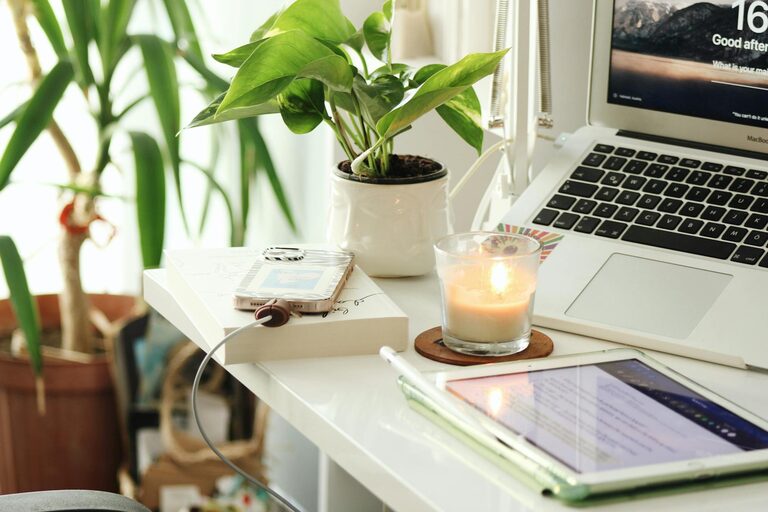
Creating a home office that is both cozy and productive is essential for anyone working remotely or managing tasks from home. A well-designed workspace can improve focus, reduce stress, and make your workday more enjoyable. In this article, we’ll explore practical tips to help you set up a home office that supports your productivity while feeling inviting and comfortable.
Choose the Right Location
Your office location within your home plays a big role in your ability to focus and feel comfortable.
– Find a quiet spot: Select an area away from heavy foot traffic and noise. Ideally, a separate room is best, but a quiet corner can work too.
– Consider natural light: Position your workspace near a window if possible. Natural light boosts mood and reduces eye strain.
– Think about space: Make sure there’s enough room for your desk, chair, and any equipment you need without feeling cramped.
Invest in Ergonomic Furniture
Comfort is key to maintaining productivity over long hours.
– Choose a supportive chair: Look for a chair with adjustable height, lumbar support, and comfortable cushioning.
– Use a suitable desk: Your desk height should allow your forearms to rest parallel to the floor while typing.
– Consider accessories: An adjustable keyboard tray, monitor stand, or footrest can improve posture and reduce discomfort.
Personalize Your Space
Adding personal touches makes your office feel welcoming and can increase motivation.
– Incorporate colors: Use calming or inspiring colors on walls, accessories, or artwork.
– Add plants: Greenery improves air quality and creates a pleasant environment.
– Display meaningful items: Photos, mementos, or inspirational quotes can boost morale without cluttering.
Organize for Efficiency
A tidy workspace helps keep your mind clear and reduces distractions.
– Use storage solutions: Shelves, drawers, and boxes can keep documents and supplies organized.
– Declutter regularly: Set aside time each week to clean up and remove unnecessary items.
– Implement a filing system: Sort papers digitally or physically so you can find what you need quickly.
Optimize Lighting
Good lighting is crucial to avoid eye strain and maintain alertness.
– Balance natural and artificial light: Use blinds to control sunlight glare and add desk lamps or overhead lighting.
– Select the right bulbs: Choose bulbs with a daylight or soft white color temperature.
– Position lights well: Your light source should illuminate your work area evenly without causing shadows.
Manage Technology Effectively
Technology is central to most work, but it can also be a source of distraction and clutter.
– Invest in reliable equipment: A good computer, headset, and fast internet connection enhance your workflow.
– Keep cords tidy: Use cable organizers or clips to prevent tangles and hazards.
– Limit digital distractions: Consider apps or settings that minimize notifications during work hours.
Create Boundaries and Routine
Maintaining a balance between work and home life is easier with clear boundaries.
– Set working hours: Establish a regular schedule and stick to it.
– Designate your workspace use: Keep this space just for work to signal when it’s time to focus.
– Take breaks: Schedule short breaks to stretch, hydrate, and rest your eyes.
Add Comfort Features
Small comfort details can make spending time in your home office more enjoyable.
– Temperature control: Use fans, heaters, or air conditioning as needed to stay comfortable.
– Soft textures: Consider rugs, cushions, or blankets for warmth and added coziness.
– Sound management: Use white noise machines, soft music playlists, or noise-canceling headphones if helpful.
—
By combining these tips, you can create a home office space that supports your productivity while being a comfortable and pleasant place to spend your workdays. Remember, your home office should work for you, so feel free to experiment and adjust your setup until it feels just right. Happy working!